







Faster time to value
Our deep knowledge of the Dynamics 365 applications' data structures allows us to quickly design and efficiently implement data models, reducing development time and accelerating delivery of insights.

At Professional Advantage, we specialise in transforming Dynamics 365 data into actionable insights for businesses across all industries. Our unique strength lies in our dual expertise: we not only have the skills to build your analytics platform to manage and analyse your data but also implement and support all Dynamics 365 business applications.
There are many businesses that use Dynamics 365, but fail to harness the real value of their data. Our Microsoft-certified consultants help Dynamics 365 users turn raw data into actionable insights with interactive dashboards, data integration automation, and AI-driven analytics. Our approach provides you with:
Our deep knowledge of the Dynamics 365 applications' data structures allows us to quickly design and efficiently implement data models, reducing development time and accelerating delivery of insights.
We follow best practices to extract data from Dynamics 365 applications into Power BI and Microsoft Fabric. We know where the data lives and what it means which enables us to reduce the risk of data errors, ensuring high data quality and consistency.
From the initial Dynamics 365 application implementation to ongoing analytics optimisation, we're here to offer our continuous support at every step of the journey.
Beyond our Dynamics 365 expertise we have extensive experience working with other cloud and on-premises data sources. We understand the business context behind the data and can help you build a unified data platform.
The information Power BI provides us with has set the strategic direction of the business. It allows us to see where we can advance safety and bring improvements and innovation to the projects we deliver.
 Andrew Pachioli
HSE manager, ADCO Constructions.
Andrew Pachioli
HSE manager, ADCO Constructions.
Over 30 years of partnership with Microsoft, helping organisations achieve more with technology.
300 staff across 7 offices in Australia, United States, and United Kingdom.
90+ net promoter score and 9.7 years average client retention.
Microsoft Tier 1 CSP: Single point of contact for licensing, billing, and local technical support.
Power BI has allowed us to look at every aspect of the business in a completely different way, challenging preconceptions to allow every person to be more effective in the delivery of their role. It has been a change in culture for the whole organisation.
 Kevin Garvey
Director, Pinnacle Rehab
Kevin Garvey
Director, Pinnacle Rehab
As a Microsoft solutions partner for Data & AI, we harness the power of Microsoft's cutting-edge technologies to deliver transformative results for our clients. Our approach combines the deep expertise in Microsoft's data and AI stack with a data-centric project methodology tailored for optimal outcomes. On an individual level our consultants are also certified and hold a range of Microsoft certifications in data and analytics.


We don't just analyse your data; we can help you set up and maintain your Dynamics 365 business applications, ensuring a comprehensive understanding of your data ecosystem.
We help you identify key metrics and design a data architecture that aligns with your business goals, leveraging our knowledge of Dynamics 365 business applications.
Create interactive dashboards and reports that bring your Dynamics 365 data to life, with insights tailored to your specific business needs.
Seamlessly connect your Dynamics 365 data with other sources for a comprehensive view of your business, optimising data flow and analysis.
Transform the way your business operates with our Copilot and analytics services for Dynamics 365. Drive efficiency, streamline processes, and enhance decision making with these powerful tools.
By combining Microsoft's powerful data and AI technologies with our targeted project approach, we deliver innovative, scalable solutions that drive tangible business value for our clients.

We begin by thoroughly analysing your business objectives, challenges, and data landscape to ensure alignment between data, AI solutions, and strategic goals.

We evaluate available data sources, quality, and relevance. Our team then prepares and cleanses the data, leveraging Microsoft's technology for efficient data integrations and transformation.

We design a scalable, secure architecture using Microsoft's cloud services, ensuring seamless integration with existing systems and compliance with data governance requirements.

We employ an agile methodology, breaking projects into sprints and delivering incremental value. This approach allows for continuous feedback and adaptation.
We handle 100% of the solution implementation and management.
A collaborative approach where our consultants share tasks based on client’s skills and identified gaps.
We provide guidance and expertise as required. Your team leads the implementation.
“We definitely like Power BI and think it will be our BI tool. While we are constantly on the lookout for tools to improve our business practices, any additional BI needs that we identify will be assessed through the lens of can Power BI handle it? From what I have seen with the support of Professional Advantage, I am confident the answer will be yes.”
 Julian Mudge
Financial Manager, SS&A Albury
Julian Mudge
Financial Manager, SS&A Albury
Complete the form below, or contact us to speak to one of our experts today.
Dynamics 365 Customer Engagement (CE), which includes Sales, Customer Insights, and Field Service, is a suite of applications designed to manage customer relationships, sales processes, service delivery, and customer insights. Microsoft Power BI is Microsoft’s business analytics platform, enabling users to visualise, analyse, and share data insights through interactive reports and dashboards.
How do Power BI and Dynamics 365 CE work together?
Close Integration: Power BI is not part of the Dynamics 365 CE licensing or application itself but integrates seamlessly with all CE modules. You can embed Power BI dashboards and reports directly within the Dynamics 365 CE interface, including Sales, Customer Insights, and Field Service.
Data-Driven Insights: Dynamics 365 CE applications capture critical business and customer data. Power BI is the tool that surfaces this data, allowing users to create interactive dashboards, combine data from multiple sources (including non-Microsoft systems), and generate deep operational insights for sales, marketing, and service teams.
Embedded Analytics: Power BI reports can be added to Dynamics 365 dashboards, forms, and views, providing users with real-time analytics in the context of their daily work.
Out-of-the-Box and Custom Reports: There are pre-built Power BI content packs and templates for Dynamics 365 CE, and you can also design custom reports tailored to your organisation’s needs.
Licensing and Application Relationship
Separate Applications: Power BI and Dynamics 365 CE are separate products. Each requires its own licence; Power BI is not included with Dynamics 365 CE, and vice versa.
Flexible Data Integration: Power BI can connect to (almost) any data source, including all Dynamics 365 CE modules, allowing you to consolidate and analyse data across your business.
Key Takeaway:
Power BI is not part of Dynamics 365 Customer Engagement, but the two are tightly integrated. Dynamics 365 CE holds your core business and customer data, while Power BI unlocks the value of that data through advanced analytics and visualisation. To use Power BI with Dynamics 365 CE, you need a separate Power BI licence, but the integration empowers your teams to make better, data-driven decisions directly within their Dynamics 365 environment.
Dynamics 365 Business Central and Microsoft Power BI are two separate Microsoft applications, each with their own licensing, but they are designed to work closely together to deliver powerful analytics for your business data.
Business Central is a comprehensive ERP solution that manages your core business processes such as finance, sales, purchasing, and operations. This is where your organisation’s vital business data is captured and maintained.
Power BI is Microsoft’s leading business analytics tool. It enables users to visualise, analyse, and share insights from their data through interactive dashboards and reports.
How they work together:
Licensing and Application Relationship:
Microsoft Power BI can integrate with all major Dynamics 365 modules, ERP (Finance & Supply Chain, Business Central) and CE (Sales, Customer Insights, Customer Service, Field Service). You can design reports that draw from the specific modules your business needs, providing actionable insights across finance, operations, sales, marketing, and service teams.
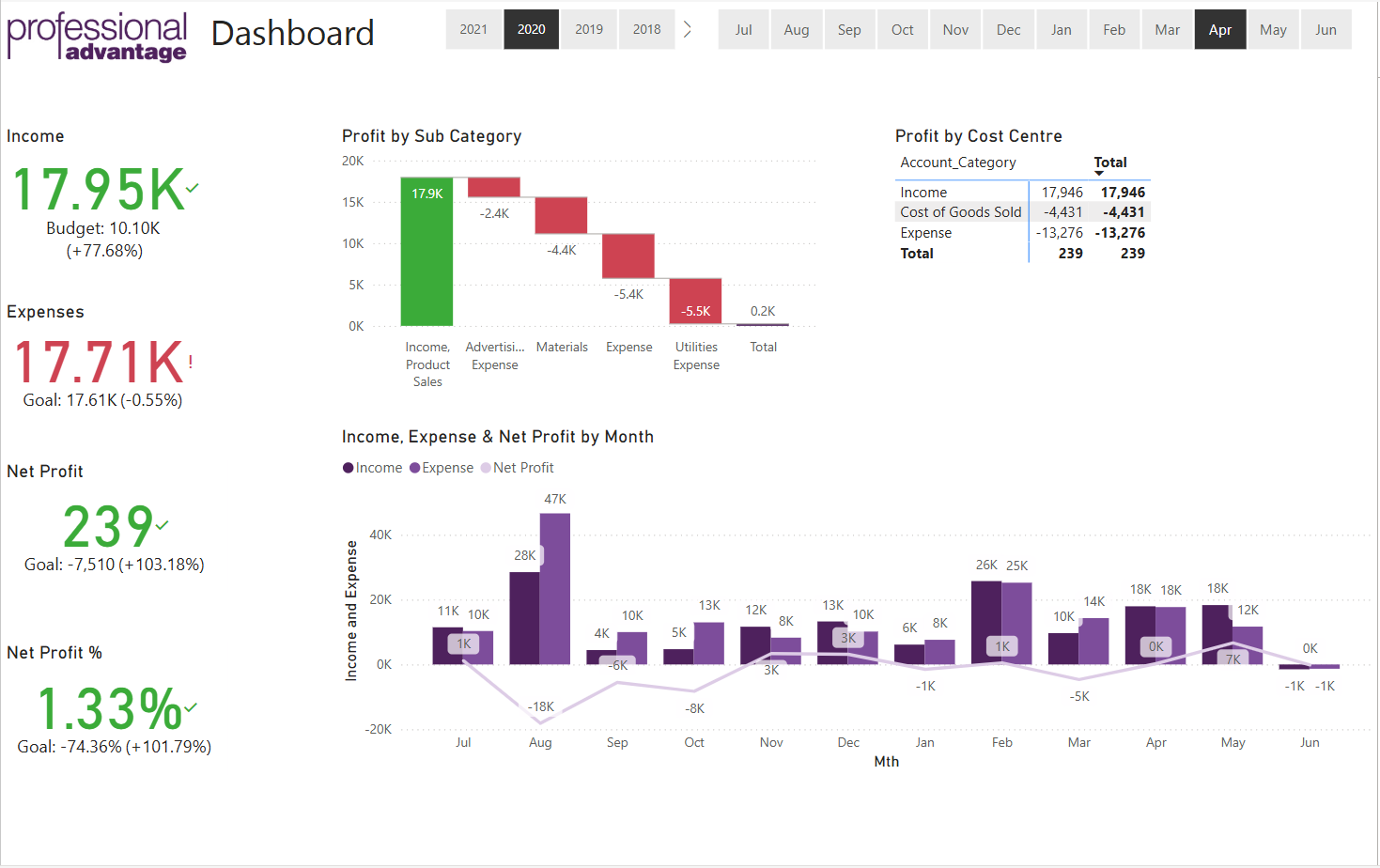
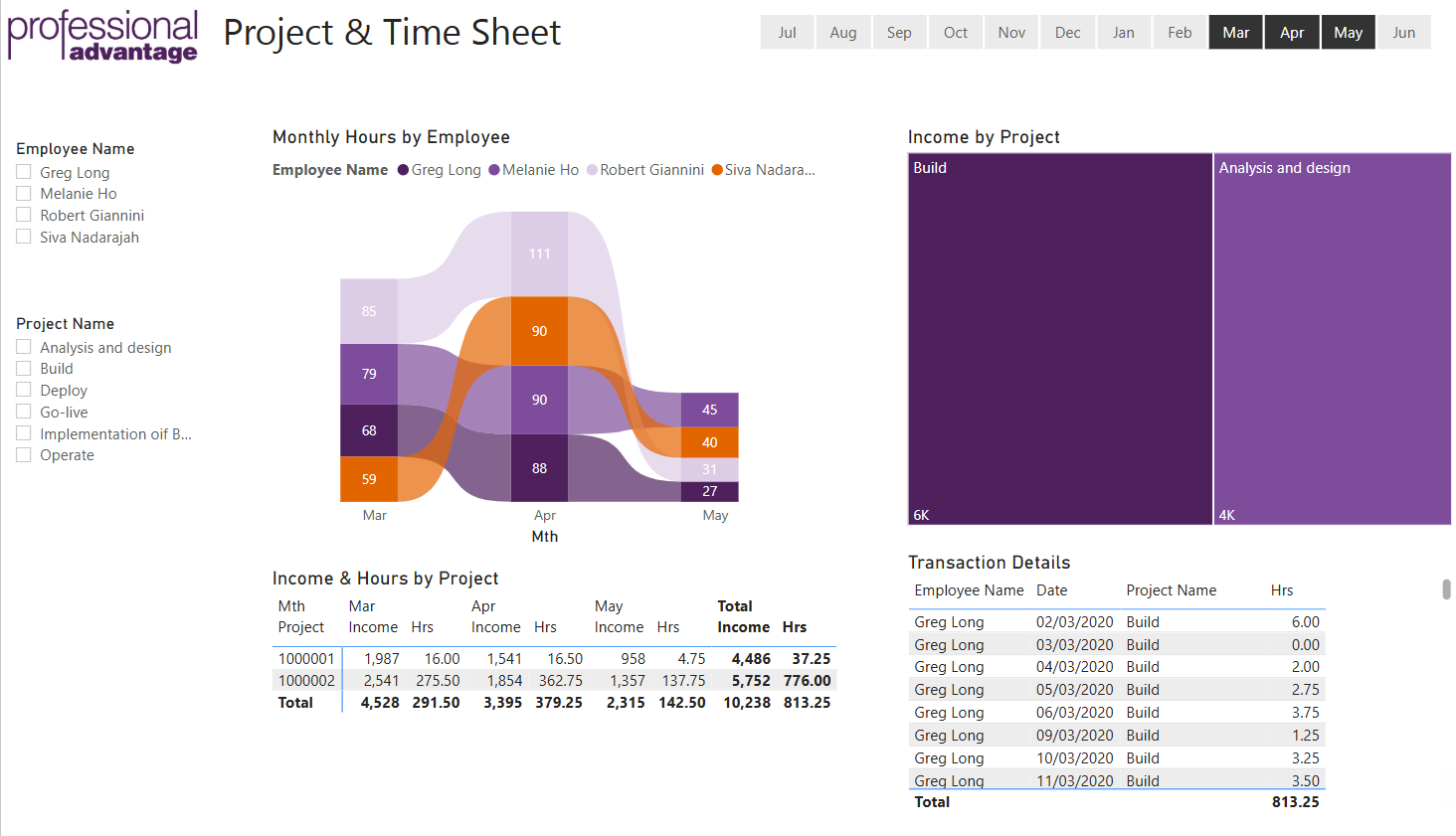
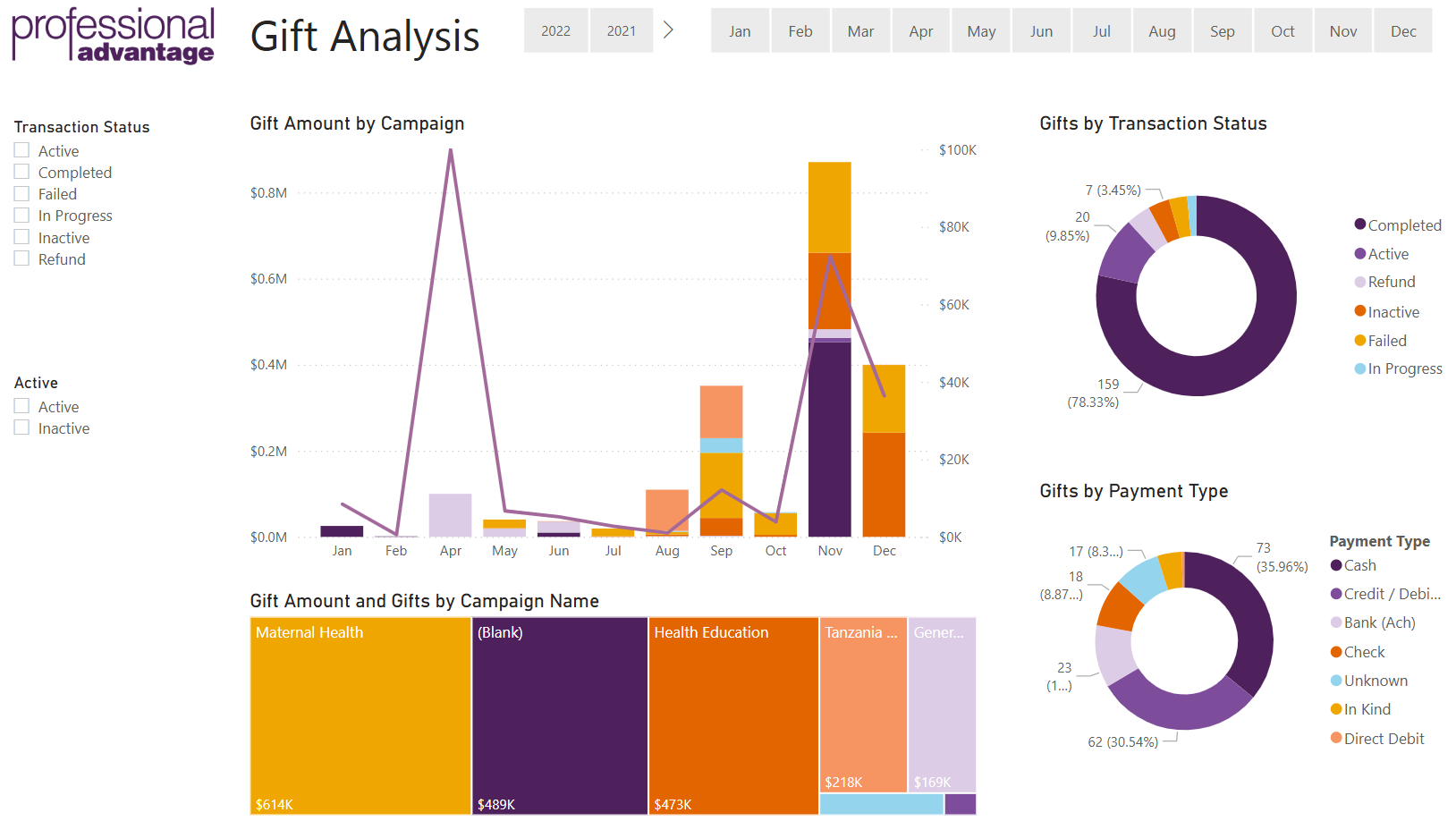
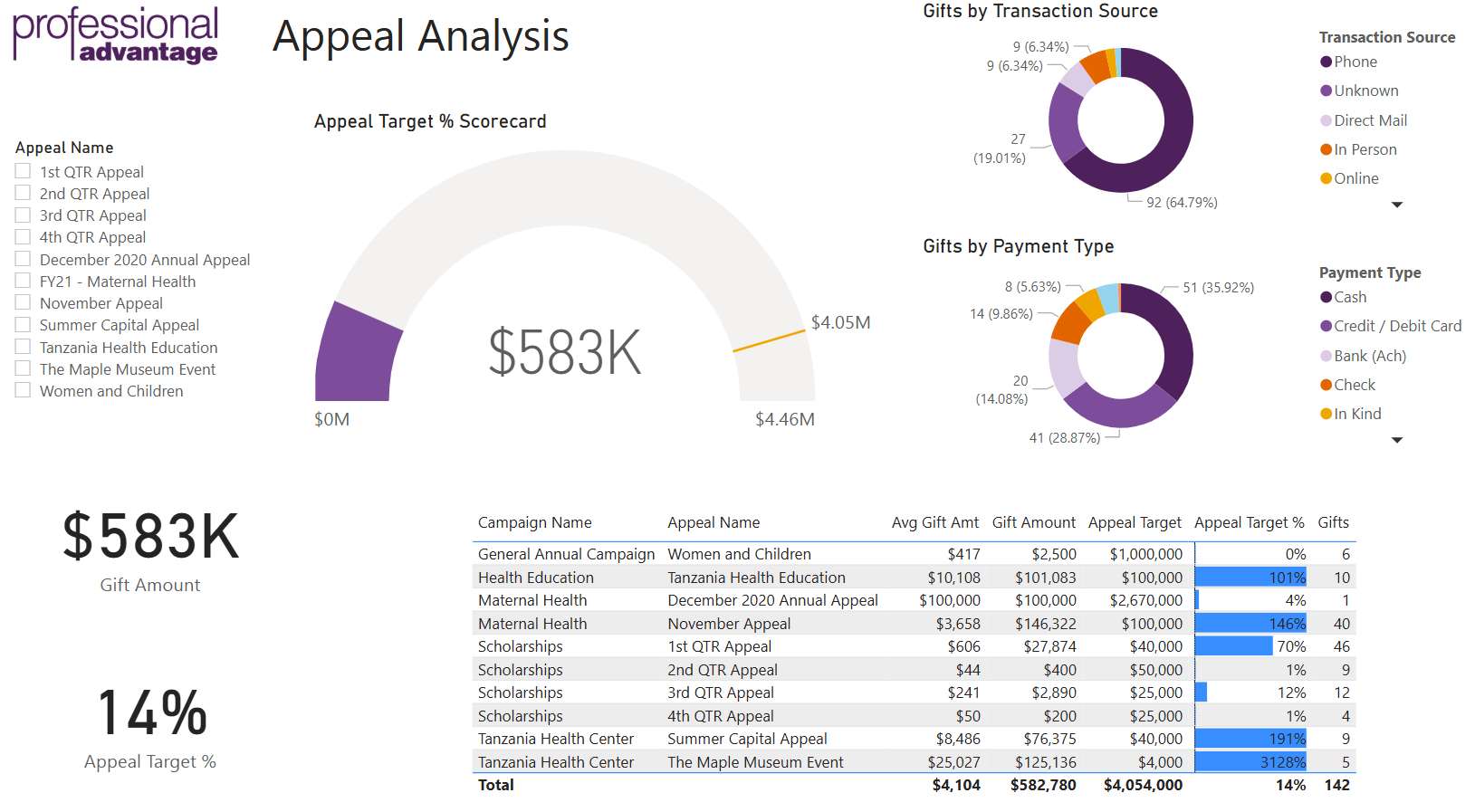
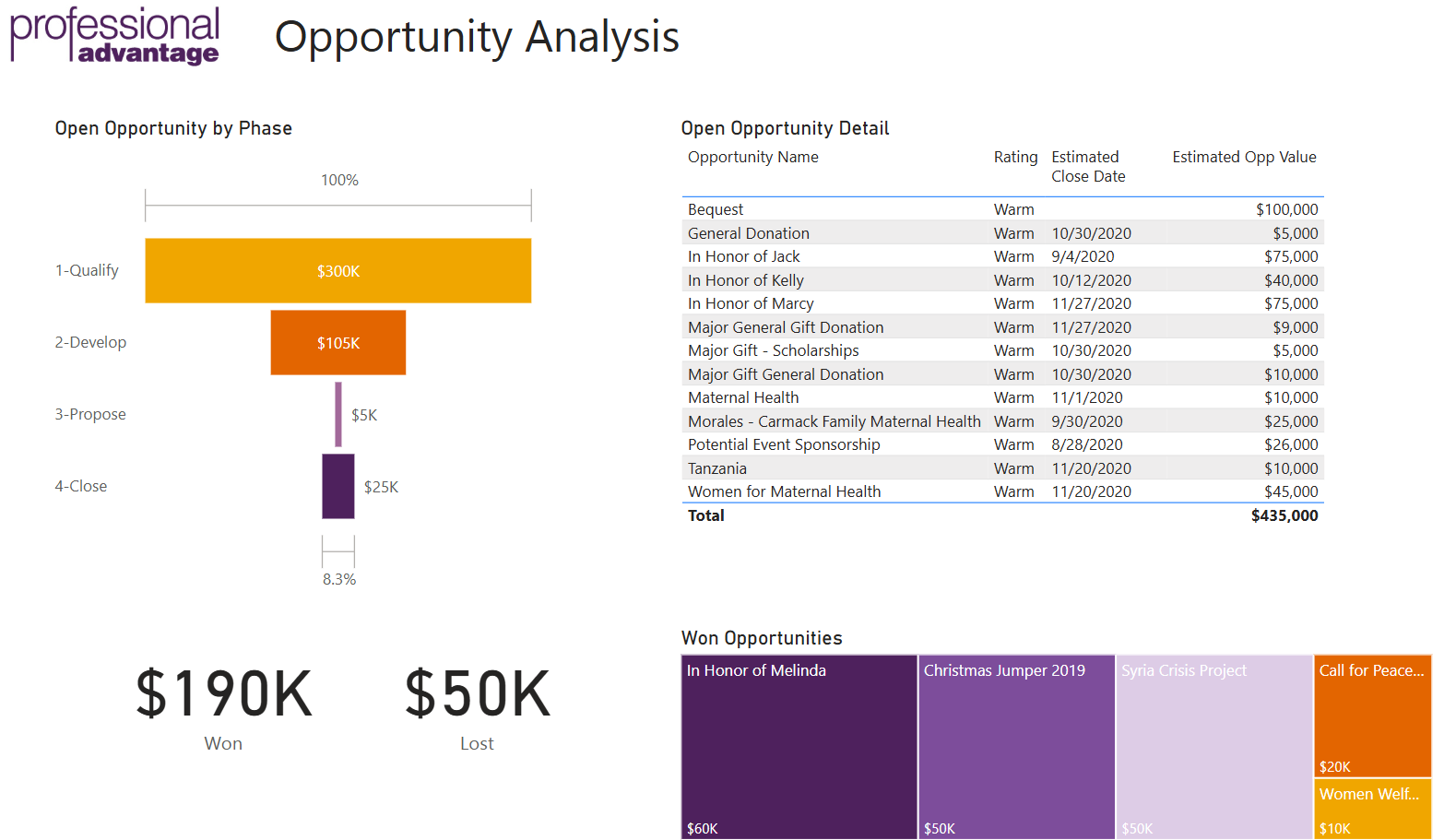
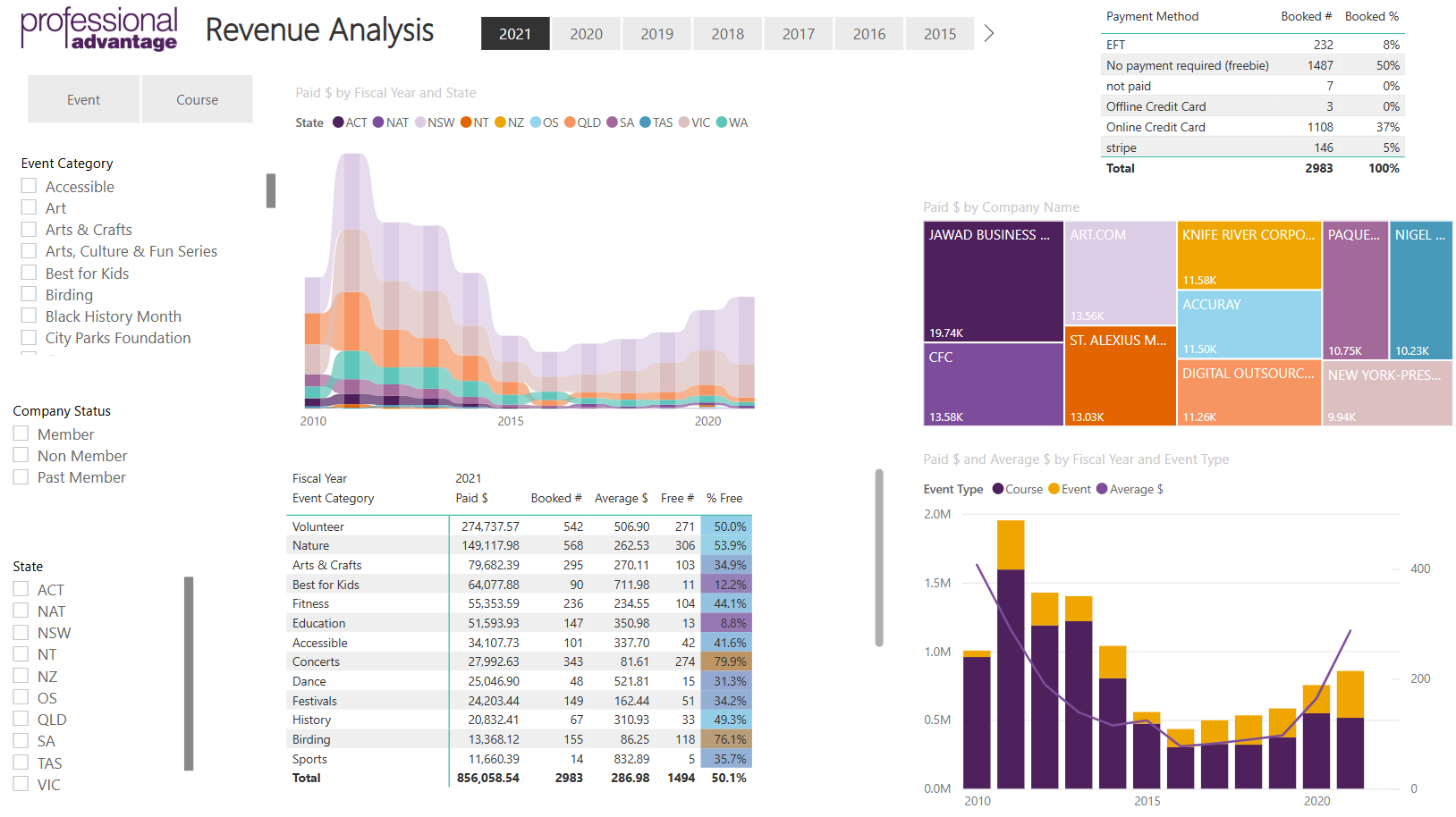
Here are some example modules and reports showing the capability to integrate with all the modules required.
|
Application |
Example Modules |
Example Power BI Reports |
|
Dynamics 365 Finance & Supply Chain (FSC) |
General Ledger, Accounts Payable, Accounts Receivable, Fixed Assets, Inventory Management, Procurement & Sourcing, Project Management, Production Control |
Financial Performance Dashboard, Cash Flow Analysis, Inventory Turnover Report, Supplier Performance, Project Cost Tracking |
|
Dynamics 365 Business Central (BC) |
Finance, Sales, Purchasing, Inventory, Projects, Service Management, Manufacturing |
Profit & Loss Statement, Sales Performance by Product, Inventory Levels, Purchase Order Analysis, Project Profitability |
|
Dynamics 365 Sales |
Leads, Opportunities, Accounts, Contacts, Activities |
Sales Pipeline Analysis, Lead Conversion Rate, Account Growth Dashboard |
|
Dynamics 365 Customer Insights |
Campaigns, Segments, Customer Journeys, Event Management |
Campaign ROI, Customer Engagement Metrics, Event Attendance Analysis |
|
Dynamics 365 Customer Service |
Cases, Knowledge Base, Service Agreements, Queues |
Case Resolution Time, Customer Satisfaction Trends, Agent Performance |
|
Dynamics 365 Field Service |
Work Orders, Assets, Scheduling, Resource Management |
Work Order Completion Rates, Field Technician Productivity, Asset Maintenance Trends |
Example Scenarios
ERP (FSC & BC):
CE (Sales, Marketing, Customer Service, Field Service):
At a high-level summary, Power BI connects directly through Common Data Service or Dataverse (the data storage behind Dynamics 365 apps), via APIs, or by directly reading data from data storage like a Data Warehouse, a Lakehouse, or OneLake if you are also using Microsoft Fabric as your data analytics platform. The latter may be the best approach if you need to combine data from multiple business applications.
There are three primary ways to connect Microsoft Power BI to Microsoft Dynamics 365 Finance and Supply Chain Management (D365 F&SCM) data:
1. OData Feed – near real-time, but limited
The OData feed provides near real-time access to the transactional database via Dynamics 365’s public data entities. This method is suitable for lightweight, interactive reporting where freshness of data is key.
However:
2. BYOD (Bring Your Own Database) – customisable and stable
The BYOD approach allows selected data entities to be exported on a scheduled basis to an external Azure SQL database. Power BI can then connect to this database for reporting.
Advantages:
Limitations:
3. Fabric Link – full table access with flexibility
The Fabric Link is the most robust and modern integration method for connecting Dynamics 365 Finance and Supply Chain data to Microsoft’s analytics ecosystem. It enables near real-time synchronisation of transactional data into Microsoft Dataverse, where it becomes readily accessible for analysis in Microsoft Fabric or Power BI.
Why choose Fabric Link?
This approach is ideal for organisations seeking a scalable, low-maintenance, and high-fidelity connection to their ERP data for enterprise-level reporting and advanced analytics.